

1. Browsing the speed camera database
The speed camera database has been running since May 2000 and lists fixed, average-speed and mobile camera locations across the UK, as reported by motorists and in some cases by police or local authorities.
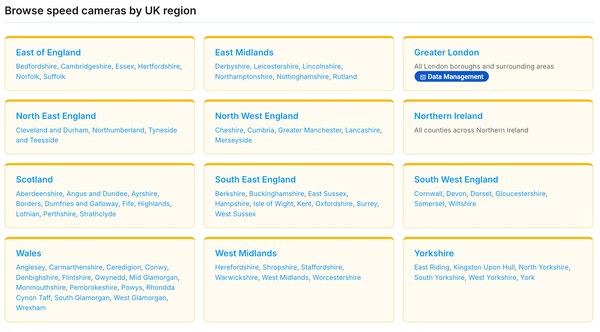
From the main database page you can select any of the twelve UK regions listed to see all of the speed camera locations recorded within that area. The regions covered are East of England, East Midlands, Greater London, North East England, North West England, Northern Ireland, Scotland, South East England, South West England, Wales, West Midlands and Yorkshire.
2. Region and county listings
Clicking a region takes you to a page listing all of the speed cameras recorded within that area, organised alphabetically by county and then by place name. Each entry shows the road name or number, the posted speed limit and the type of camera - for example, Gatso or SPECS average-speed camera.
To go directly to a specific county, use the links on the region page. If you already know the camera reference number (shown in the format EEC043), you can use your browser's find function on the relevant county page to jump straight to it.
3. Individual camera location pages
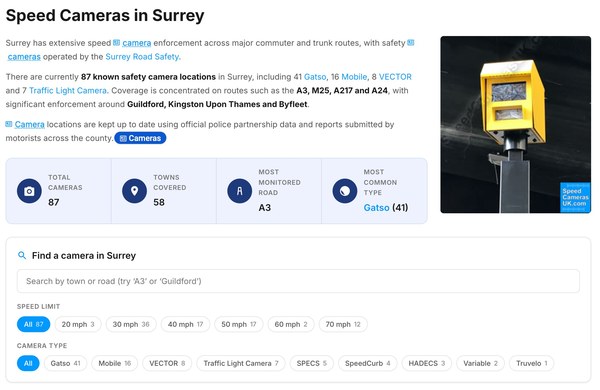
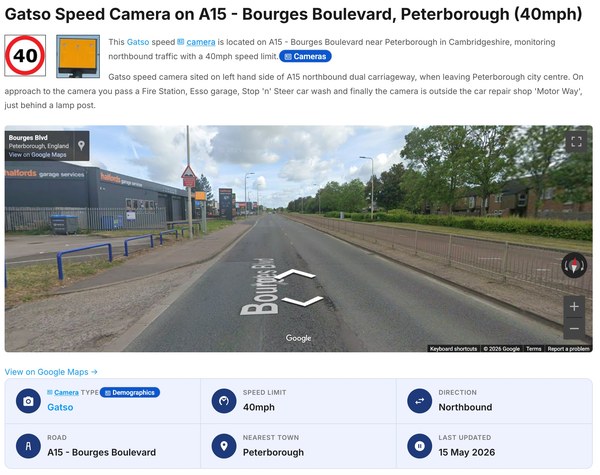
Clicking on any camera entry takes you to its dedicated location page. Each page includes the following information:
- Nearest town or village
- Road name or number
- Direction of travel enforced
- Speed limit
- Camera type and any additional details
- A unique camera reference number (for example, EEC043)
- A Google Street View embed where a link has been submitted
Some location entries cover two cameras sited either side of the road at the same point; others relate to a single fixed or mobile camera. The reference number shown on each page is used when submitting updates or Street View links, and is included automatically when you use the Update location details button.
4. Updating a camera location
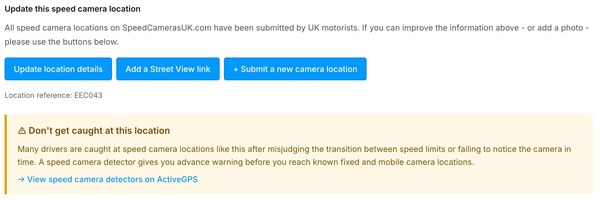
If a speed camera has been removed, replaced, or has had its speed limit changed, please let us know using the Update location details button found at the bottom of every camera location page. Clicking the button opens a form with the camera reference number already filled in. Add as much detail as you can - for example, the date a camera was removed or the new speed limit - and we will review the information and update the database, normally within a week.
5. Adding a Google Street View link
We now use embedded Google Street View on location pages instead of user-submitted photographs. Street View images are tied to precise GPS coordinates and are updated regularly by Google, meaning location pages stay accurate without anyone needing to revisit a camera in person.
If a camera location page does not yet have a Street View embed, or the existing view is not well positioned, you can submit a new link using the Update location details button and pasting your Google Street View URL into the additional information field. Full instructions on how to find and copy a Street View link are on the Add a Street View Link page.
6. Reporting a new camera location
If you know of a speed camera that is not yet listed in the database, please use the Report New Camera Location form. You will be asked for the road name or number, the nearest town or village, the direction the camera faces, the speed limit, and the camera type if known. The more detail you can provide, the faster we can verify and add the location.
Should you have any questions about the database, please contact us.