 A dash cam records video of your journey continuously. If you are involved in a collision that is not your fault, footage from the camera provides clear evidence of what happened - evidence that UK insurers accept and that is admissible in court.
This guide covers how dash cams work, the difference between front-only and front-and-rear systems, parking mode, speed camera alert features, protection against insurance fraud, and what to look for when choosing a model. SpeedCamerasUK.com has been publishing guidance on in-car devices since 2000.
How dash cams work
A dash cam records to a microSD card in a continuous loop. When the card is full, the oldest footage is automatically overwritten by new recordings - the camera never stops and never needs the card to be manually cleared. This means you always have a rolling window of recent footage available, covering the last few hours or days of driving depending on the card capacity and video resolution.
The G-sensor is the key protection mechanism. When the camera detects an impact above a set threshold - a collision, a sudden hard braking event, or a sharp swerve - it automatically locks the current recording clip so that it cannot be overwritten by the loop. The locked clip is preserved until you manually delete it, regardless of how many times the rest of the card is written over. You can also lock clips manually at any time by pressing a button on the device.
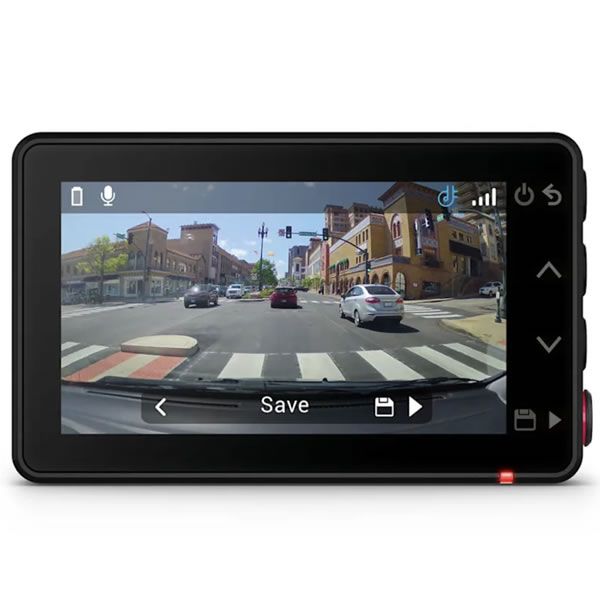
Footage is stored as video files that can be reviewed on a computer or, on models with a built-in screen, directly on the device. Most current models record in Full HD (1080p) as a minimum, with higher resolutions available. The files include audio by default - a microphone records the interior of the vehicle, which is useful in some circumstances but can be turned off if preferred.
GPS-equipped dash cams record additional data alongside the video: your precise location, speed, direction and a timestamp accurate to GPS time. This data is embedded in the footage or stored separately as a log file and can be viewed alongside the video on a computer. For evidential purposes, this is a significant advantage - a clip showing a collision carries considerably more weight if it also confirms your speed and position at the time.
Front-only vs front-and-rear
A front-only dash cam records the road ahead through the windscreen. It is the most common and affordable configuration, and for many drivers it covers the majority of incidents they are likely to encounter - collisions at junctions, accidents on roundabouts, and vehicles pulling out unexpectedly.
A front-and-rear system adds a second camera unit covering the rear window. The rear camera connects to the front unit via a cable that runs along the roofline and down the A-pillar - a tidy installation usually involves routing the cable inside the headliner and door seals. Some drivers have this done by an auto electrician or car accessories fitter to keep the cabling completely hidden; others route it themselves using the cable clips typically supplied with the rear camera.
Rear coverage provides protection in situations a front camera cannot capture. Rear-end collisions are among the most common on UK roads, and without rear footage a driver can face a disputed claim even when the fault is clear to them. Tailgating incidents, near-misses on the motorway, and hit-and-run incidents in car parks are all captured only by a rear camera. Front-and-rear is also particularly worth considering for drivers who tow a caravan or trailer regularly, where the rear of the outfit is some distance behind the car and at greater risk of being struck.
Browse front and front-and-rear dash cams at ActiveGPS.co.uk
Parking mode
Parking mode keeps the dash cam active and recording after the engine has been switched off and the vehicle is left unattended. This means that if someone drives into your parked car and drives away, or if the vehicle is broken into or vandalised, the camera may capture footage of the incident.
Most parking mode implementations use motion detection. The camera enters a low-power standby state and begins recording only when movement is detected in front of the lens - a passing pedestrian, another vehicle moving nearby, or someone approaching your car. This minimises battery drain while ensuring the camera captures anything that happens close to the vehicle. Some models use a low-power time-lapse mode instead, recording a single frame every few seconds to create a compressed record of activity around the vehicle over an extended period.
The practical challenge with parking mode is power. The cigarette lighter socket in most vehicles loses power when the ignition is switched off, which means a dash cam plugged into the lighter socket will simply turn off when you park. To use parking mode, the dash cam needs to be connected to a power source that remains live when the ignition is off - typically a hardwired connection to the vehicle's fusebox via a fused adaptor cable. This is a straightforward job that takes around an hour for someone familiar with vehicle wiring; an auto electrician can do it for a modest cost if you prefer not to tackle it yourself.
Speed camera alerts
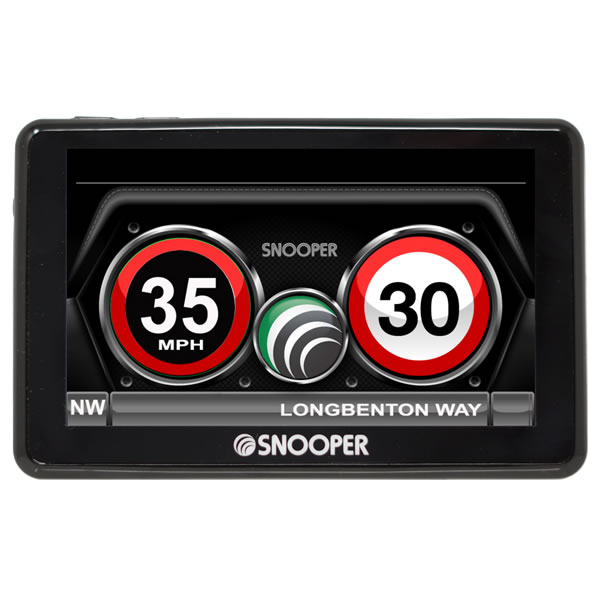
Some dash cams include an optional GPS speed camera database that alerts you to fixed and mobile camera locations as you approach them. The alert appears on the dash cam's screen showing the camera type, the road speed limit and your current speed - the same information a dedicated GPS speed camera detector would display. This is a useful feature for drivers who would rather have a single windscreen-mounted device than a separate dash cam and a separate detector.
The speed camera database on a dash cam works in exactly the same way as a standalone GPS detector: it holds a database of recorded camera co-ordinates and triggers an alert when your GPS position matches a location in that database. As with all GPS-based systems, the device can alert you to all fixed camera types including average speed camera zones such as SPECS and VECTOR, which emit no signal and cannot be detected by radar.
Not all dash cams include speed camera alert functionality - it is a feature of certain models rather than standard across the range. Check the specification of any model you are considering if camera alerts are important to you.
Read the full guide to GPS speed camera detectors
Crash for Cash and insurance
Crash for Cash is an organised insurance fraud where criminals deliberately cause road traffic collisions in order to make false or inflated insurance claims against the innocent driver. Common tactics include brake-testing - deliberately braking hard without warning so the vehicle behind cannot stop in time - and ghost broking, where a car pulls out deliberately in front of another vehicle. The fraudulent claimants then submit claims for vehicle damage, personal injury and legal costs that they have either staged or grossly exaggerated.
The cost to UK motorists is substantial. Insurance industry estimates put the annual cost of motor fraud, of which Crash for Cash is a significant component, in the hundreds of millions of pounds. That cost is ultimately recovered through higher premiums for all drivers.
A dash cam provides continuous video evidence of the road ahead. If a criminal deliberately brake-tests you, the footage will show the distance between the vehicles, your speed, and the absence of any legitimate reason for the stop. This can expose a staged collision clearly and prevent a fraudulent claim from succeeding against you. Footage can be submitted to the police and to your insurer. In cases that reach court, it is fully admissible as evidence.
A number of UK insurers now offer a discount on premiums for drivers who use a dash cam, recognising that recorded footage reduces the cost and frequency of disputed claims. The discount is typically in the range of 10 to 15 percent, though this varies considerably by insurer and policy type. It is worth asking your insurer before buying - the saving may contribute meaningfully to the cost of the device.
Features to look for when buying
Video resolution determines how clearly the footage captures detail - number plates, road signs, and the faces of other drivers. Full HD 1080p is the standard minimum for a useful dash cam; anything lower risks footage that is too soft to read a plate clearly. Higher resolutions are available on premium models and produce sharper images, though they also require a larger memory card to store the same duration of footage.
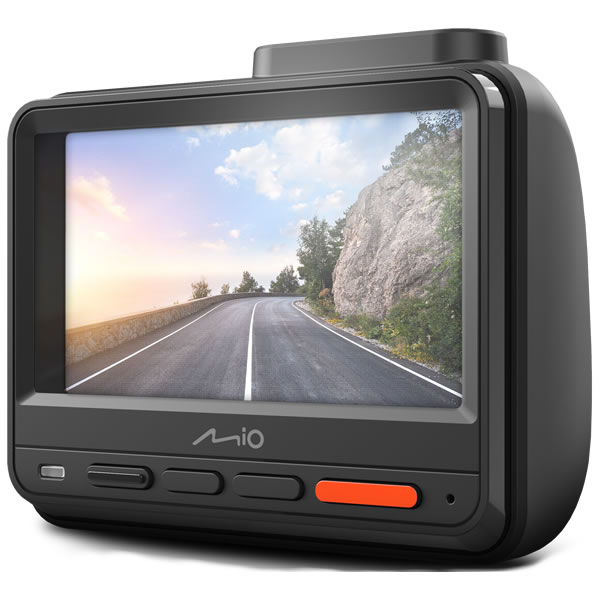
Whether the model includes a screen is a practical consideration. A screen lets you review footage directly on the device and check that the camera angle is set correctly after installation. Screenless models are generally more compact and discreet, and are better suited to drivers who are happy to review footage on a computer or phone when needed.
The lens viewing angle determines how much of the road and surrounding lanes the camera captures. A wider angle covers more of the scene, including vehicles in adjacent lanes, but very wide angles can introduce distortion towards the edges of the frame. An angle in the range of 130 to 150 degrees is a practical choice for most drivers.
Night vision quality varies significantly between models. Look for a dash cam with a good low-light sensor - this is one of the areas where paying more tends to make a noticeable difference. Incidents at night or in poor lighting conditions are harder to capture clearly, and a camera that produces dark, grainy footage in these conditions is of limited evidential value.
GPS is worth having if you want your footage to carry full evidential weight. A GPS-equipped model records your location, speed and direction alongside the video, which is considerably more useful if footage is ever used in an insurance dispute or submitted to the police.
If you want front-and-rear recording, check that the model you are considering supports a second camera and that the rear camera is available as a bundle or separately. Not all front-camera models are compatible with a rear unit.
Parking mode capability is worth checking even if you do not plan to use it immediately - you may want it later, and not all models support it. If you do want parking mode, check whether the model requires hardwiring and whether a hardwiring kit is available for it.
Memory card capacity affects how much footage you can store before the loop overwrites the oldest recordings. A 32GB card is the practical minimum for a full day of driving at 1080p; 64GB or higher gives you more headroom. Check whether a card is included with the device or needs to be purchased separately, and check the maximum card size the device supports.
Finally, consider the mount. A suction-cup windscreen mount is standard on most dash cams, but the quality varies. A mount that loses its grip on warm days is an annoyance at best. Check whether the adhesive pad option is available if you prefer a more permanent fix, and whether removing the mount leaves residue on the windscreen.
For the current range of dash cams, visit ActiveGPS.co.uk.
Last updated: May 2026.